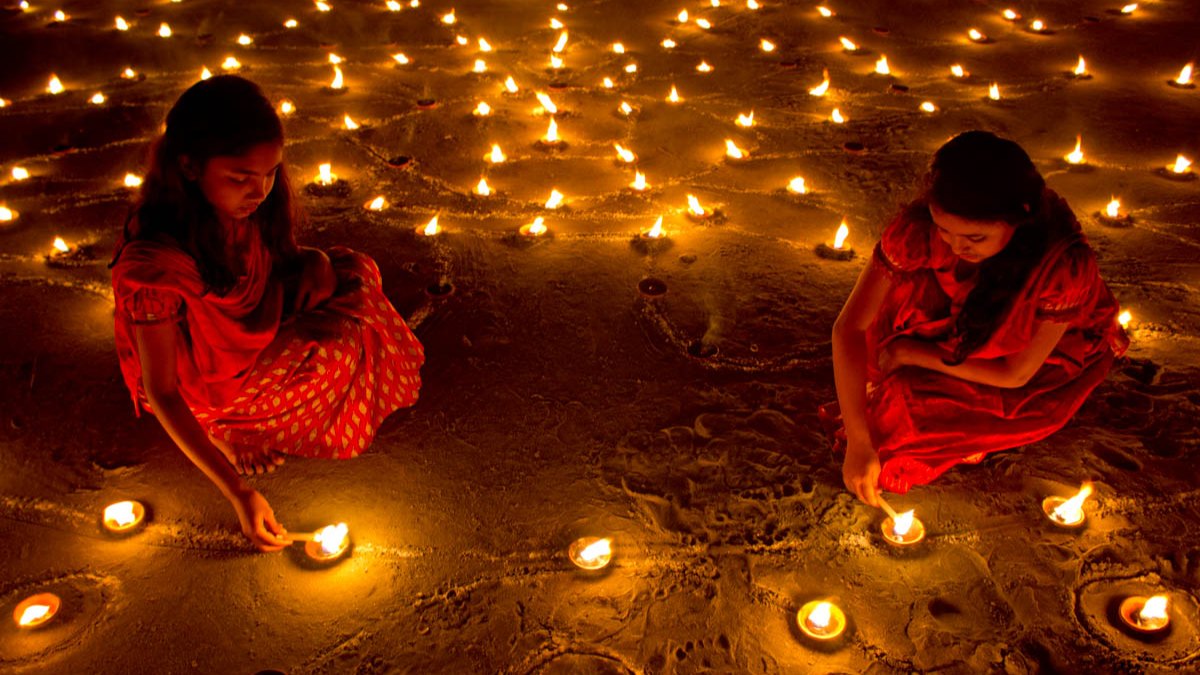
Diya rows, rangoli under fairy lights and fireworks are the hardest photos to get right on a phone, because there is very little light and a lot of contrast. This guide explains how to take clear Diwali photos at night on an iPhone, a Google Pixel or a Samsung Galaxy using the camera app you already have, plus a few settings that work on most other Android phones.
Why night photos come out blurry or grainy
In low light, the camera keeps the shutter open longer to collect enough light. If your hand moves during that time, the photo blurs. If the phone raises sensitivity instead, you get grain. Night modes on modern phones fix this by taking several frames and combining them, but they still need you to hold steady for a few seconds.
So the single most useful habit is simple: keep the phone still. Rest it on a wall, a railing, a table or a small tripod. Every tip below works better when you do this.
How to use Night mode on iPhone
Night mode works on iPhone 11 and later. You do not need to switch it on, because it turns on by itself when the camera detects low light.
- Open the Camera app in Photo mode and point it at your scene.
- Look for the Night mode icon at the top of the screen. When it is yellow, Night mode is active, and the number beside it shows the capture time in seconds.
- To change the capture time, tap the arrow above the viewfinder, tap the Night mode button and drag the slider. Choose Max for the longest exposure when the phone is on a steady surface.
- Press the shutter and keep the phone still until the countdown ends. If motion is detected, line up the crosshairs on screen to reduce blur.
Apple notes that Night mode switches off when Live Photos or the flash is on. Keep the flash off for diyas and rangoli, because it flattens the warm glow and makes the scene look harsh.
Light trails from fireworks and phuljhadis on iPhone
For streaky light trails, use a Live Photo instead of Night mode. Turn Live Photos on, take the shot while someone waves a phuljhadi or a firework goes up, then open the photo in the Photos app. Tap the Live Photo label near the top of the screen and choose Long Exposure. The phone blends the frames into one image with smooth trails. This only works well if the phone stayed still, so prop it up.
How to use Night Sight on Google Pixel
- Open the Camera app.
- In the mode carousel, tap Night Sight.
- Tap the shutter and hold still for a few seconds while the photo is captured.
Google suggests setting the self-timer to 3 seconds so your finger does not shake the phone when you tap. If you are shooting something far away, like a building lit with lights across the road, open Night Sight settings and set Focus to Far, which is meant for subjects more than 4 metres away. Keep the flash off, because automatic Night Sight does not run when flash is on.
How to use Night mode on Samsung Galaxy
- Open the Camera app.
- Swipe to More and tap Night.
- Press the shutter and hold still until the capture finishes.
For more control, Samsung’s Pro mode lets you set shutter speed and exposure yourself. A slower shutter speed lets in more light, which helps with firework trails, but only if the phone is on a stable surface. Night mode support varies by model, so if you do not see it under More, your phone may not have it.
Settings that help on any phone
- Tap to focus, then lower exposure. Diyas and lights are bright points in a dark frame. Tap on them and slide exposure down a little so the flames do not turn into white blobs.
- Use the main camera. The ultra-wide and zoom lenses on most phones collect less light. Step closer instead of zooming.
- Clean the lens. A smudged lens creates haze and glow around every light source. Wipe it with a soft cloth before you start.
- Use the timer. A 3-second timer removes the shake from pressing the shutter.
- Turn on HDR if your phone has a toggle. It helps keep detail in both the bright lights and the dark background.
Tips for common Diwali shots
| Scene | What to do |
|---|---|
| Diya rows and rangoli | Shoot from a low angle, flash off, Night mode on, phone resting on the floor or a step |
| Family portraits | Place people near a lamp or string lights, use Portrait or Night mode, ask everyone to stay still for the count |
| Fireworks | Prop the phone, point it where the rockets burst, use Live Photo Long Exposure on iPhone or Pro mode on Galaxy |
| Lit-up buildings | Use the main lens, set focus to far if available, shoot 15-20 minutes after sunset when the sky still has some colour |
A note on safety
Keep a safe distance from firecrackers while shooting. Do not hold your phone close to a lit anar or chakri for a dramatic angle, and never walk back to a cracker that has not gone off. A slightly wider shot from a safe spot is better than a burnt hand or a damaged phone.
Once you have your photos, you may want to send them to family on different phones. Our guide on how to share files from Android to iPhone shows the quickest ways to do it. If you want a small tripod or other add-ons, see our list of must-have tech accessories.
Sources: Apple Support, Google Pixel Camera Help, Samsung Support
Frequently asked questions
Should I use flash for Diwali photos?
Usually no. Flash flattens the warm light from diyas and decorations, and on iPhone and Pixel it also stops Night mode from running.
How do I photograph fireworks on my phone?
Rest the phone on something steady. On iPhone, take a Live Photo and apply the Long Exposure effect in Photos. On Samsung, use Pro mode with a slower shutter speed.
Which iPhones have Night mode?
Night mode is available on iPhone 11 and later models.
Why are my night photos blurry?
The phone needs a few seconds to capture light. Any hand movement during that time causes blur, so rest the phone on a surface or use a tripod and the self-timer.